
How to Check BISP Balance Online by CNIC
Waiting for your financial assistance shouldn’t feel like a guessing game. For millions of families across Pakistan relying on the Benazir Income Support Programme, knowing exactly when your social safety net funds land is critical for managing household expenses.
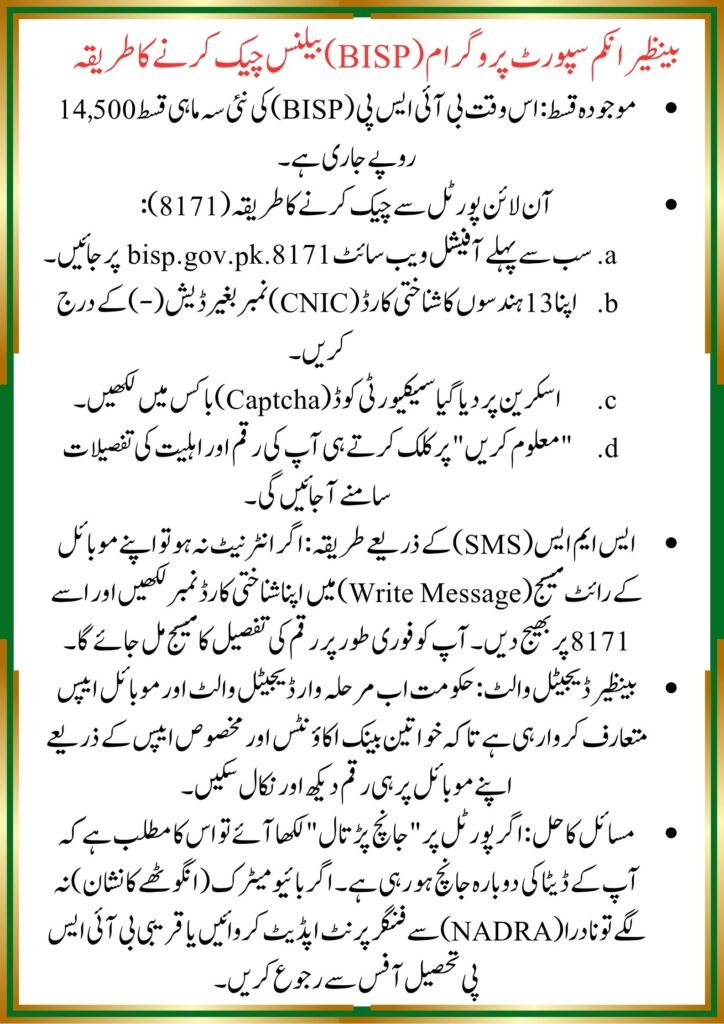
With the current quarter stipend active at Rs. 14,500, avoiding long lines at distribution centers starts with knowing your exact financial status beforehand. This complete guide provides a verified blueprint to check your BISP balance online using your Computerized National Identity Card (CNIC), along with alternative mobile and digital wallet pathways.
The 8171 Digital Infrastructure: Understanding the Framework
To successfully navigate the payment tracking ecosystem, you must understand the underlying network supporting these payouts. The Government of Pakistan processes all welfare allocations through the National Socio-Economic Registry (NSER) database, which syncs directly with the National Database and Registration Authority (NADRA).
When you submit an inquiry, the system cross-references your unique 13-digit identity number against active disbursement cycles, currently executing the phase payments. This digital framework prevents fraudulent collection and ensures that cash disbursements route securely to eligible female heads of household.
How to Check BISP Balance Online by CNIC: Step-by-Step Guide
The official 8171 web portal is the most reliable tool for tracking your funds without leaving home. Follow this verified, step-by-step breakdown to perform a clean balance inquiry.
Step 1: Open the Official 8171 Web Portal
Launch your preferred desktop or mobile web browser and navigate directly to the official government link: 8171.bisp.gov.pk. Avoid third-party websites asking for personal credentials, as they are unverified platforms.
Step 2: Input Your 13-Digit CNIC Number
Locate the field labeled (Identity Card Number). Carefully enter your 13-digit CNIC without including any spaces or dashes (e.g., 3520123456789).
Step 3: Enter the Security Captcha Code
You will see a specific numeric verification code displayed inside an image box Type these exact digits into the provided text box. This ensures the request is human-driven and keeps the database secure.
Step 4: Execute the Verification Inquiry
Click the green button marked (Find Out). The internal server will query the active NSER registry ledger to fetch your record.
Step 5: Interpret Your Digital Payment Result
Within seconds, the portal will display your current financial standing. The interface will return one of three definitive statuses:
officha website ; https://8171.bisp.gov.pk/
- Active Payment Available: Displays your current Rs. 14,500 stipend along with designated bank collection points.
- Under Verification: Indicates your family profiling data is actively undergoing a dynamic survey review.
- Ineligible: Confirms your household proxy metrics fall outside the current poverty index threshold.
Alternative Tracking Methods: SMS and Mobile Wallets
If you lack stable internet access, or if the central web infrastructure experiences heavy traffic, alternative real-time verification routes are available.
The 8171 SMS Verification Pathway
The primary alternative for basic mobile phone users is the official short-code text messaging service. This protocol requires no mobile data and is free across all major Pakistani networks including Jazz, Telenor, Ufone, and Zong.
Step-by-Step SMS Inquiry Method
- Open the native Messages App on your mobile device.
- Draft a new message and type your 13-digit CNIC number into the text body without spaces.
- Address the text message to the shortcode 8171.
- Press send and wait for the automated network transmission.
- Review the incoming system response detailing your eligibility and account allocation.
The Emerging Benazir Digital Wallet Framework
To reduce logistical friction at biometric cash points, the government has begun rolling out the Benazir Digital Wallet framework. This mobile payment application structure integrates mobile wallet activations directly with verified SIM cards registered under the beneficiary’s own CNIC.
Once your designated district transitions to the digital wallet ecosystem, you can log into the partner banking application (such as Bank Alfalah or HBL Microfinance platforms depending on your regional cluster) to view your balance on a secure mobile dashboard.
Troubleshooting Common Inquiry Errors
Many beneficiaries encounter systemic blockages during their online queries. Let’s look at how to resolve the most common digital errors immediately.
Invalid Captcha and Submission Failures
If the portal continuously rejects your entries, your browser cache may be serving an expired security token. Refresh the webpage entirely to generate a clean captcha code. Ensure you are not running a Virtual Private Network (VPN), which can trigger automated security firewalls on official government servers.
Handling Fingerprint Verification and Blocked Statuses
If your online inquiry shows an active balance but you face biometric rejection at an ATM or agent point, you must follow the standard recourse framework:
- Visit NADRA: If age or manual labor has faded your fingerprints, visit a NADRA registration center for an official biometric update.
- Submit a BISP Complaint: Use the toll-free helpline (0800-26477) or visit your local tehsil office to register a formal complaint regarding fingerprint verification issues. This initiates an alternative verification pathway, allowing you to collect your stipend via an authenticated bank branch transaction.
Frequently Asked Questions
Can I check my BISP balance without internet access?
Yes. You can check your status entirely offline by sending your 13-digit CNIC number via SMS to the shortcode 8171. This service is free and works on any basic mobile handset.
What should I do if the 8171 portal shows “No Record Found”?
This message means your household is not currently registered in the NSER database. To fix this, visit your nearest local BISP Tehsil office to complete the dynamic registration survey.
Is there an official mobile application to check the current stipend balance?
The primary official online method remains the 8171 web portal. However, selected regional clusters can now track their funds via authorized partner banking applications as the digital wallet infrastructure continues to expand.
Why does my status say “Under Verification”?
This indicates the program is re-evaluating your household data against current socioeconomic indicators. Your eligibility status will update automatically once the verification cycle completes.
Are there any hidden fees for performing an online balance check?
No. Both the official 8171 web portal inquiries and the 8171 SMS transmission service are completely free of charge for all citizens.
Actionable Next Steps
Checking your status online saves time and protects you from unauthorized agent fee deductions. Take a moment today to verify your current standing on the official portal. If your balance is active, proceed directly to your region’s designated commercial bank ATM or biometric campsite to collect your full Rs. 14,500 stipend securely.